
For Students
Keep your Student record updated
- Make sure you’re going to meet all of your degree requirements.
Keep your student record updated.
Schedule an Appointment
-
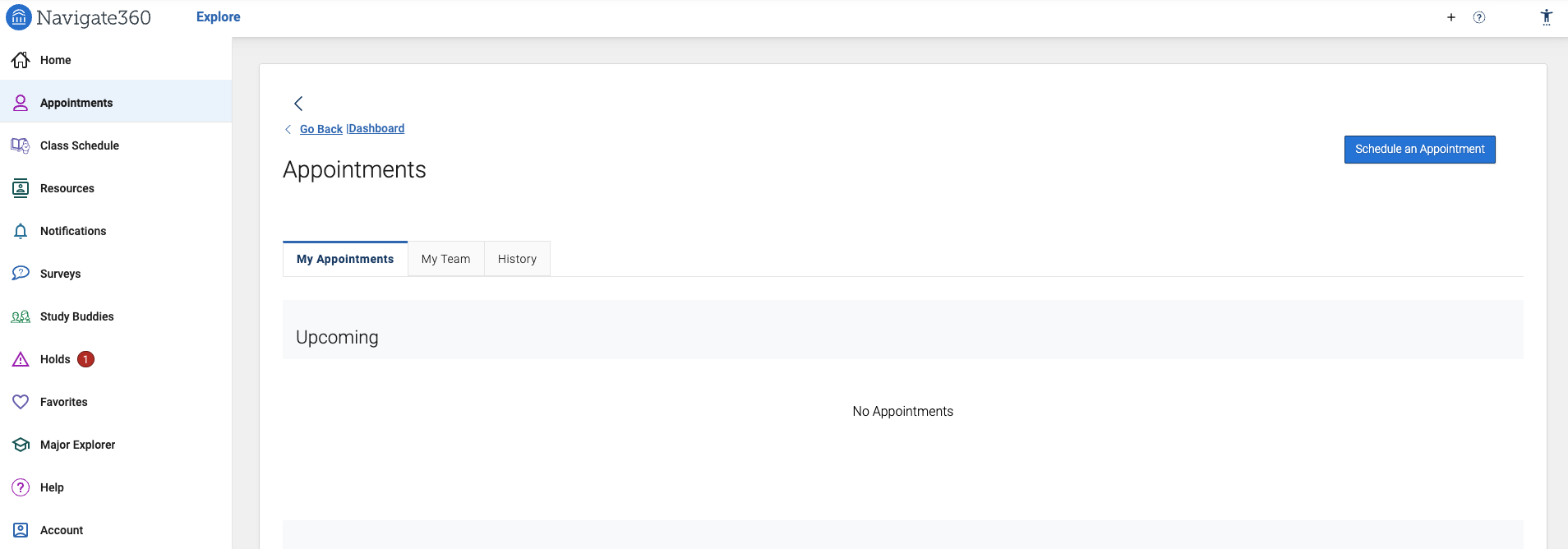
On the Home screen, select the Appointments link on the left column.
-
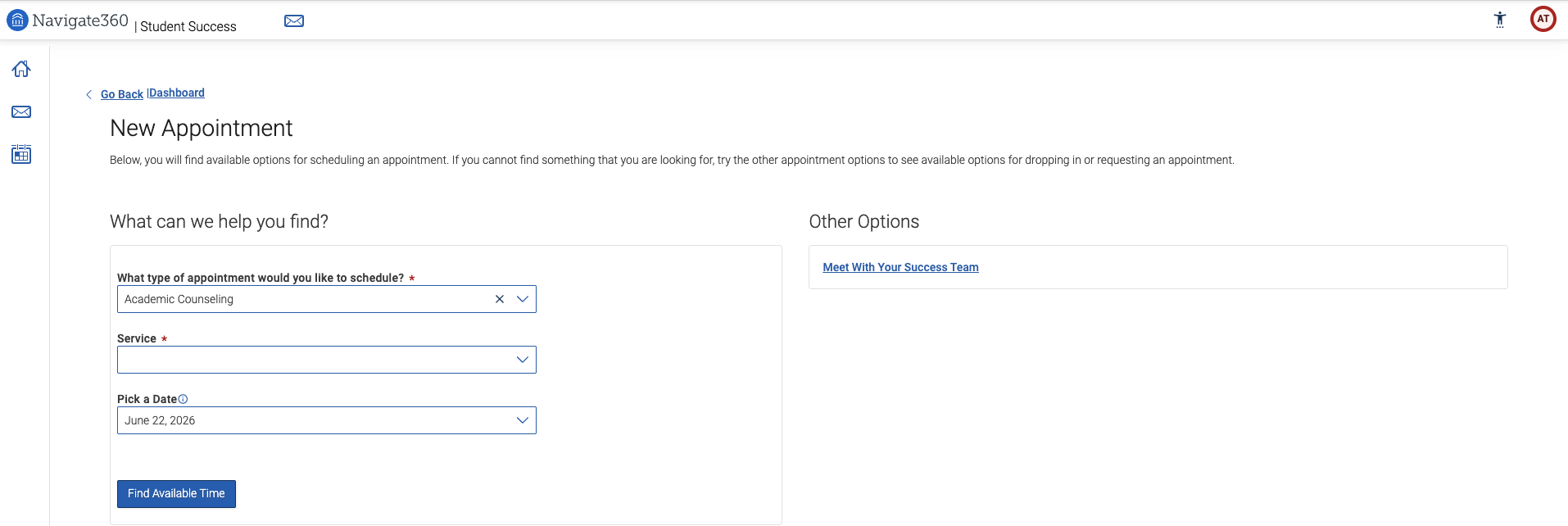
Click on the Schedule an Appointment button on the top right of the screen. Answer questions about your preferred service, date, time, and location.
Set Up Notifications
Go here to set up notifications.
To-Dos
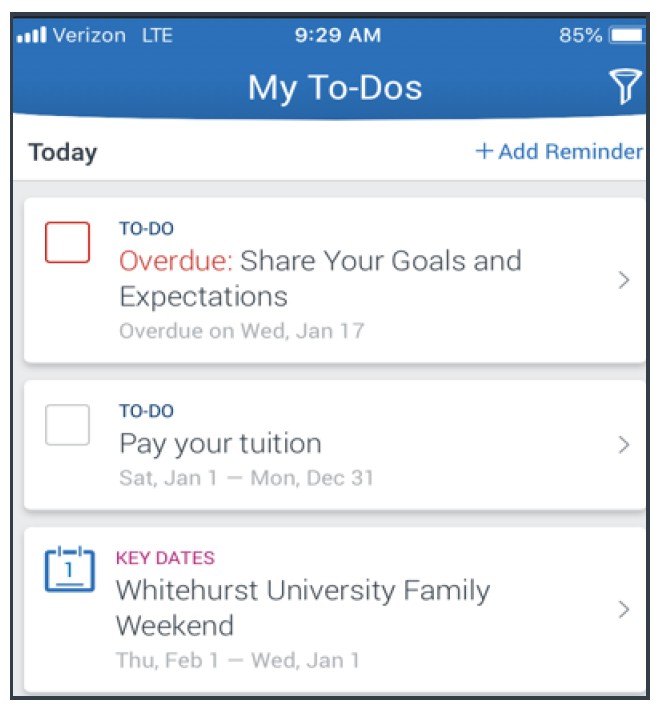
To-dos are helpful and allow you to see important tasks and check them off as you complete them. Check to-dos regularly to stay on track.
Events also allow you to see a list of key dates and deadlines on the To-Dos page. Add events to your personal calendar for more information.
Keep your Student record updated
- Make sure you’re going to meet all of your degree requirements.
Keep your student record updated.
Hand Raise
You can also email us at: askulu@hawaii.edu – we’re always happy to assist you! – we’re always happy to assist you!
My Docs
You can see Appointment Summaries, Notes and/or Progress Reports that have been shared with you by your Success Team. You can see reports that were created after your school enabled this future that you have permission to see. Reports are hidden 180 days after they are created.
Resources
See a list of important services and locations on campus. The People tab shows a list of your assigned staff, such as your counselors and instructors. Go to the heart icon to favorite a resource. You can find your favorites in Settings > Favorites.
Frequently Asked Questions
What is Navigate?
Navigate is a student success platform that connects you with essential campus resources and services. Navigate will help you work on academic planning, assist you with staying on track, and provide you with information when you need it.
How do I login?
Log into Navigate through this site.
What do I do if my app is frozen or not working?
For iOS, double click the Home button then swipe the app preview away to “hard close”.
For Android, open the app manager view and slide the app preview away to “hard close”.
If the above options do not work, please reach out to navig8@hawaii.edu.
Help! I can’t login – who should I contact?
Please contact askulu@hawaii.edu.